
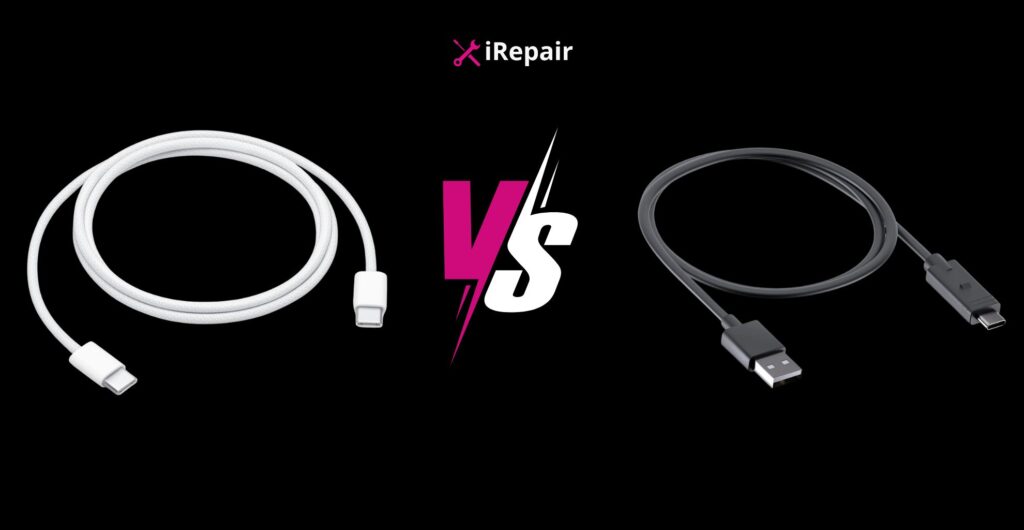
Choosing the best phone charging cable UK buyers can rely on is not just about grabbing the cheapest option online. It comes down to understanding USB-C vs Lightning cable differences, charging speed, data transfer rates, compatibility with your device, and the quality of your power adapter.
In this guide, I break down how USB-A, USB-C, and Lightning connectors work, what changed from iPhone 5 to iPhone 15 and newer, how to identify a true fast charging cable UK customers can trust, and why durable charging cables with proper certification like a certified iPhone charger UK option matter for safety and longevity. If you want faster charging, safer performance, and fewer replacements, this article will save you time and money.
When customers walk into our store at iRepair Mobiles UK, one of the most common questions I hear is:
“Why doesn’t my new cable charge as fast as my friend’s?”
The honest answer? Most people buy cables without understanding the connector, the power adapter, and the device’s charging limits. And that is where problems begin.
Let’s break this down properly.
Before we compare speed, we need to understand the physical differences.
Here’s a simple comparison:
| Connector | Shape | Reversible | Max Data Speed | Common Use |
|---|---|---|---|---|
| USB-A | Rectangular | No | Up to 480Mbps | Older PCs, adapters |
| Lightning | Slim, hollow | Yes | USB 2.0 speeds | iPhone 5–14 |
| USB-C | Oval | Yes | Up to 120Gbps (USB4) | Modern phones, laptops |
If you are serious about buying the best phone charging cable UK, this difference alone matters.
In 2012, Apple introduced the Lightning proprietary connector with the iPhone 5. It remained standard all the way to the iPhone 14 series.
Lightning features:
The in-box cable for many years was a Lightning to USB-A cable, which limited charging speed because USB-A ports on older power brick units delivered lower wattage.
When paired with a USB-C PD charger, a USB-C to Lightning cable allows proper fast charging and better data transfer speeds.
But here’s the key: not all Lightning cables are equal.
If you are using a non-certified cable, you risk slower charging, overheating, or device warnings.
With the iPhone 15 series, Apple switched to USB-C cable support.
The port is slightly wider and oval-shaped, with a tiny board in the middle. It matches modern devices like:
USB-C allows higher transfer rate speeds:
| Device | Data Speed |
|---|---|
| Standard USB-C | 5Gbps |
| iPad Air | 10Gbps |
| iPad Pro (USB4) | 40Gbps |
This is where USB-C vs Lightning cable really changes the game.
If you sync large videos or backups regularly, USB-C is dramatically faster.
Many people blame the cable when the real issue is the Power Adapter or Power Brick.
Charging depends on:
Modern iPhones support USB Power Delivery (PD 2.0).
If your power brick side only outputs 5W, your phone will charge slowly no matter how expensive the cable is.
For optimal charging, match:
That combination gives you true fast charging.
If you connect your phone to a computer to transfer photos or backup files, cable quality matters even more.
That means faster syncing if you use a proper USB 3 cable with a matching port.
Many cheaper cables are “charge only” and limit data speed. Always check if it is a data cable, not just a charging cable.
If you still use an iPhone 5 through iPhone 14, this is critical.
Look for:
A certified iPhone charger UK buyers choose should support:
Comparison:
| Cable Type | Charging Speed |
|---|---|
| USB-A to Lightning | Around 12W |
| USB-C to Lightning (C2L cable) | Up to 20W+ |
For durability, choose cables with:
These are the durable charging cables we recommend daily in store.
A USB-C charging cable is now the future.
It can:
It is universal, future-ready, and supports faster charging times and reliable data transfer speeds.
If you are buying new accessories today, USB-C is the smart long-term move.
Here is the honest breakdown:
| Feature | USB-C | Lightning |
|---|---|---|
| Standard | Industry standard | Apple proprietary |
| Compatibility | Phones, laptops, tablets | Mostly Apple |
| Max Speed | USB 4 up to 40Gbps | USB 2.0 / 3.0 limited |
| Charging | High-power PD | Limited by cable |
USB-C is more universal. Lightning is still relevant for older iPhones.
Your choice depends entirely on your device.
If you want a real fast charging cable UK option, check:
Look for:
Higher watt ratings mean higher power handling.
Brands like Anker and Belkin are known for reliable builds. Avoid counterfeit cables that falsely claim support.
Safety matters more than saving £5.
Thicker cables usually contain better shielding and wiring. It is not foolproof, but it is a strong indicator.
Plug in and check:
Testing removes guesswork.
If you travel often, a portable charger should:
Look for multi-port options if you charge multiple devices.
In our shop, we see damaged phones daily from cheap, non-certified cables.
The truth is simple:
The best phone charging cable UK customers can buy is not the cheapest. It is the one that:
If you use iPhone 14 or older, buy a certified iPhone charger UK option with USB-C PD support.
If you use iPhone 15 or newer, invest in a quality USB-C to USB-C cable.
Spend once. Buy properly. Charge safely.
That is how you avoid overheating, slow charging, and wasted money.
And if you are unsure, always ask a professional. At iRepair Mobiles UK, we would rather explain it properly than sell you the wrong cable.
Subscribe for Newsletter
If you are coming from an iPhone 14 or older, the iPhone 17 is a genuine
Choosing the best screen protector UK isn’t as simple as picking the cheapest option on the
The Truth About Fast Charging is simpler than most people think. Modern smartphones are designed to
If you are weighing Refurbished vs Used Phones, here is the real-world difference in plain English:
Choosing the best phone charging cable UK buyers can rely on is not just about grabbing
If you are using a used Samsung Galaxy S9 Plus, proper care makes the difference between

