
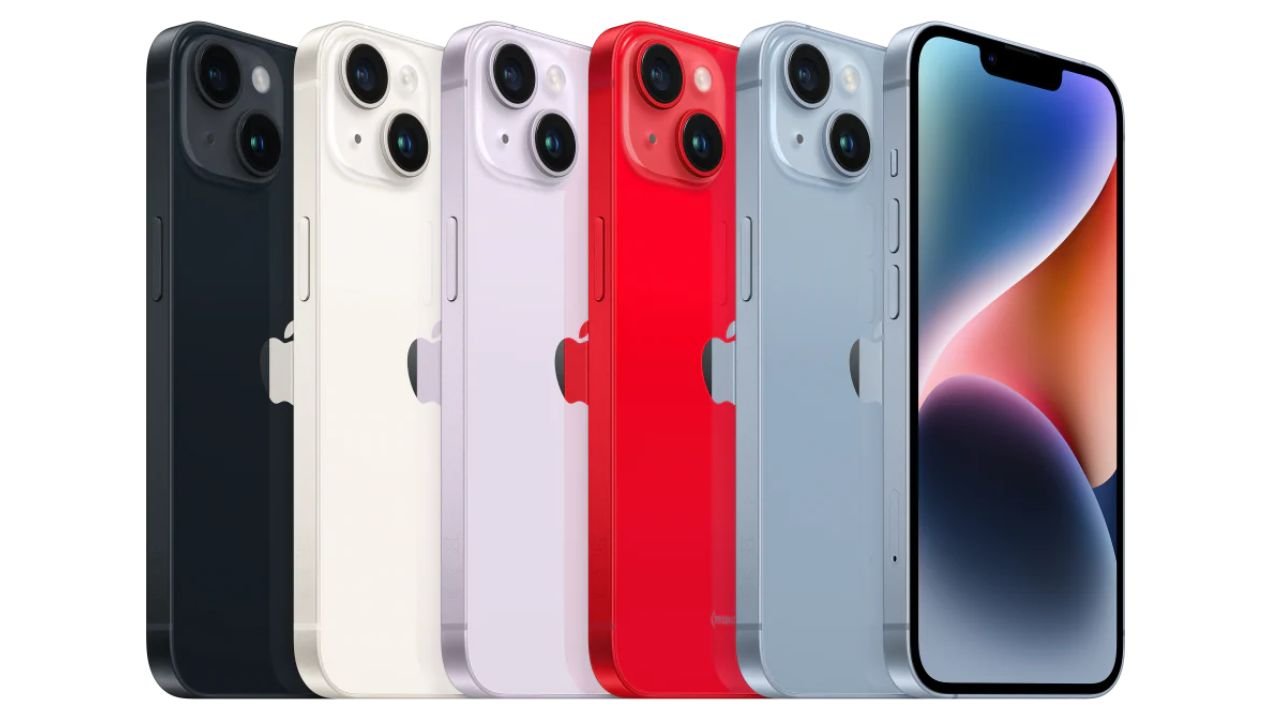
Choosing the right iPhone 14 storage options is not just about price—it’s about how you use your phone daily. The 128GB model is often enough for light users who rely on streaming and cloud storage, while the 256GB option is a sweet spot for most people balancing photos, apps, and videos.
On the other hand, the 512GB model caters to professionals, content creators, and gamers who need maximum local storage for high-resolution photos, 4K videos, and large apps. In this guide, I’ll compare 128GB vs 256GB iPhone 14 and 512GB, share real-world examples, storage calculations, cloud alternatives, and practical recommendations—so you can confidently decide the best storage size for iPhone 14 that matches your lifestyle.
Over the years, iPhones have become more than just communication devices—they’re cameras, gaming consoles, video recorders, and even work tools. Every photo you capture, app you download, or video you record takes up space. And while Apple’s iCloud storage options help, many users prefer to keep their data accessible offline.
When I upgraded my own iPhone a few years ago, I underestimated how quickly storage fills up. Within months, I was deleting apps just to download a software update. That experience taught me one thing: choosing the right storage tier upfront saves money and frustration in the long run.
Apple offers the iPhone 14 lineup in three main storage configurations: 128GB, 256GB, and 512GB (with 1TB reserved for Pro Max models). Here’s how they compare:
| Model | Base Storage | Max Storage | Starting Price (USD) |
|---|---|---|---|
| iPhone 14 | 128GB | 512GB | £592 |
| iPhone 14 Plus | 128GB | 512GB | $663 |
| iPhone 14 Pro | 128GB | 1TB | $750 |
| iPhone 14 Pro Max | 128GB | 1TB | $814 |
For many everyday users, 128GB seems like plenty. It can comfortably hold:
But here’s the catch: system files and iOS updates already take up 10–15GB, so you’re really working with closer to 110GB. If you download a lot of offline Netflix shows, record 4K video, or keep music libraries saved locally, 128GB fills up fast.
From my experience helping customers at iRepair Mobiles – Best Mobile Phones & Accessories Shop in the UK, most people who go with 128GB end up relying heavily on iCloud. That works well for casual users, but not for creators or gamers.
The 256GB option is what I usually recommend. It gives you breathing room without overpaying. Here’s a breakdown:
| Storage Tier | Who It’s For | Pros | Cons |
|---|---|---|---|
| 128GB | Light users, cloud-dependent | Cheapest, fine for streaming and basic apps | Fills quickly with photos/videos |
| 256GB | Everyday & advanced users | Best balance of price and space, future-proof | Slightly higher cost |
| 512GB | Professionals, creators, gamers | Huge capacity, no need for cloud | Expensive, often underused |
With 256GB, you can keep a healthy mix of apps, offline content, and photos without worrying about micromanaging space. For example, you could store:
This is why 256GB is often called the best storage size for iPhone 14—it’s the practical middle ground.
The 512GB option is a serious upgrade. It’s ideal if you:
In one real case, a client of mine who’s a wedding videographer said 128GB was “laughable” for his needs. He went straight to 512GB and still manages storage carefully after a long shoot. If you’re in any creative profession, this size makes sense.
Apple’s iCloud+ plans can stretch your device storage. For around $10 a month, you get 2TB of cloud storage, which is more than enough for most people. Google Photos, Amazon Photos (with Prime), and Microsoft OneDrive are also good options.
However, cloud storage isn’t always a perfect replacement—you need internet access, and constant uploads can drain battery and data. That’s why I tell customers to see cloud as a backup plan, not the main solution.
If you’re still wondering what to choose, here’s my advice:
Ultimately, buying an iPhone is an investment, and storage is part of that decision. Spend wisely upfront, and you won’t regret it when your device still feels roomy two or three years later.
At iRepair Mobiles – the UK’s #1 shop for phones and accessories, we often guide customers through the same choice. Whether you’re upgrading or buying your first iPhone, think about your habits—not just the price tag. That’s how you’ll pick the iPhone 14 storage option that truly fits your life.
Subscribe for Newsletter
If you are coming from an iPhone 14 or older, the iPhone 17 is a genuine
Choosing the best screen protector UK isn’t as simple as picking the cheapest option on the
The Truth About Fast Charging is simpler than most people think. Modern smartphones are designed to
If you are weighing Refurbished vs Used Phones, here is the real-world difference in plain English:
Choosing the best phone charging cable UK buyers can rely on is not just about grabbing
If you are using a used Samsung Galaxy S9 Plus, proper care makes the difference between

